
Send your first campaign
Pick a template and a group, check who will get it, approve it and send. Nothing goes out until you type the recipient count.
1. Create the draft
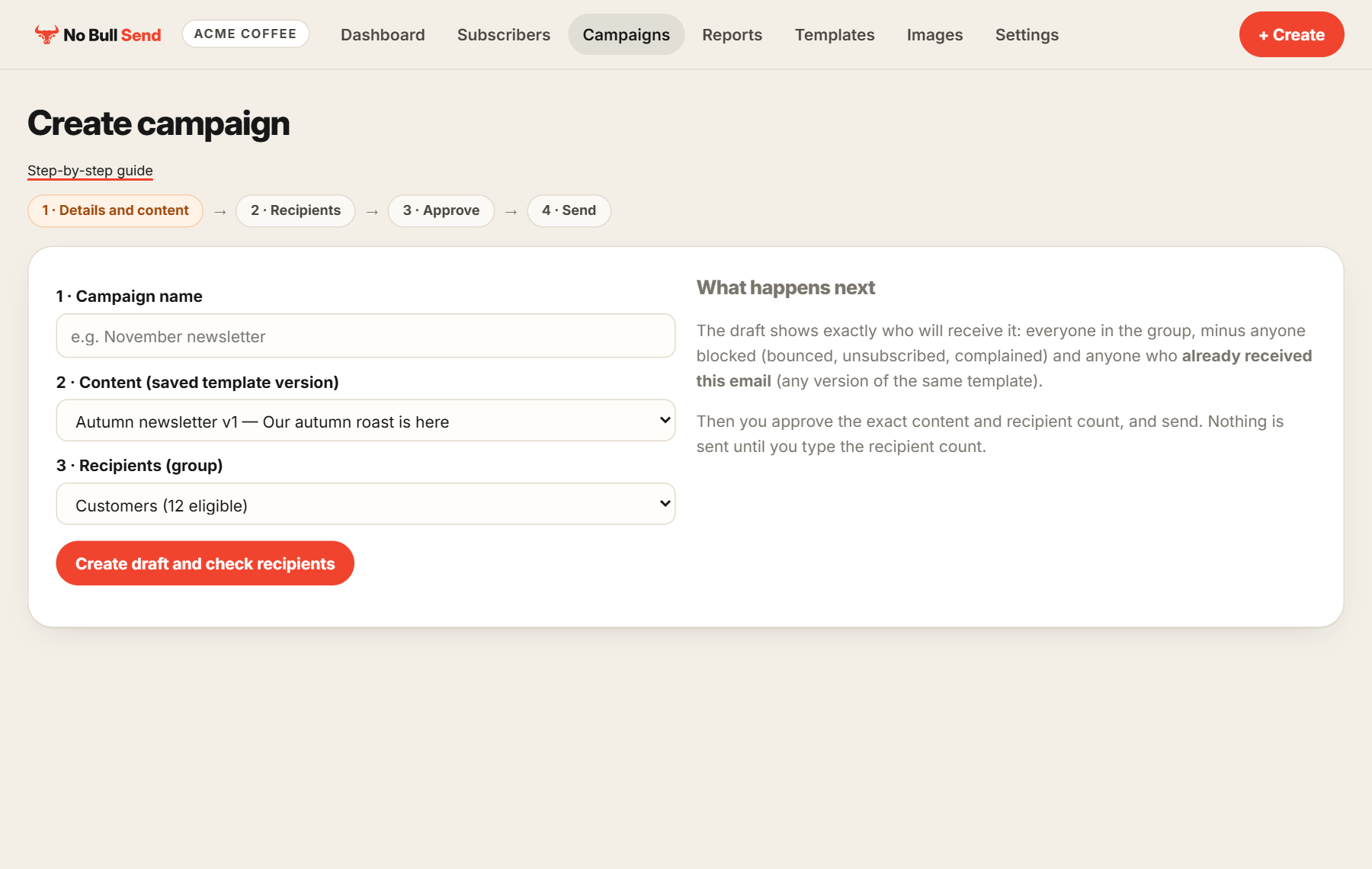
Go to Campaigns and create a campaign. Give it a name, pick your saved template version and pick a group, then choose Create draft and check recipients.
2. Check the recipients
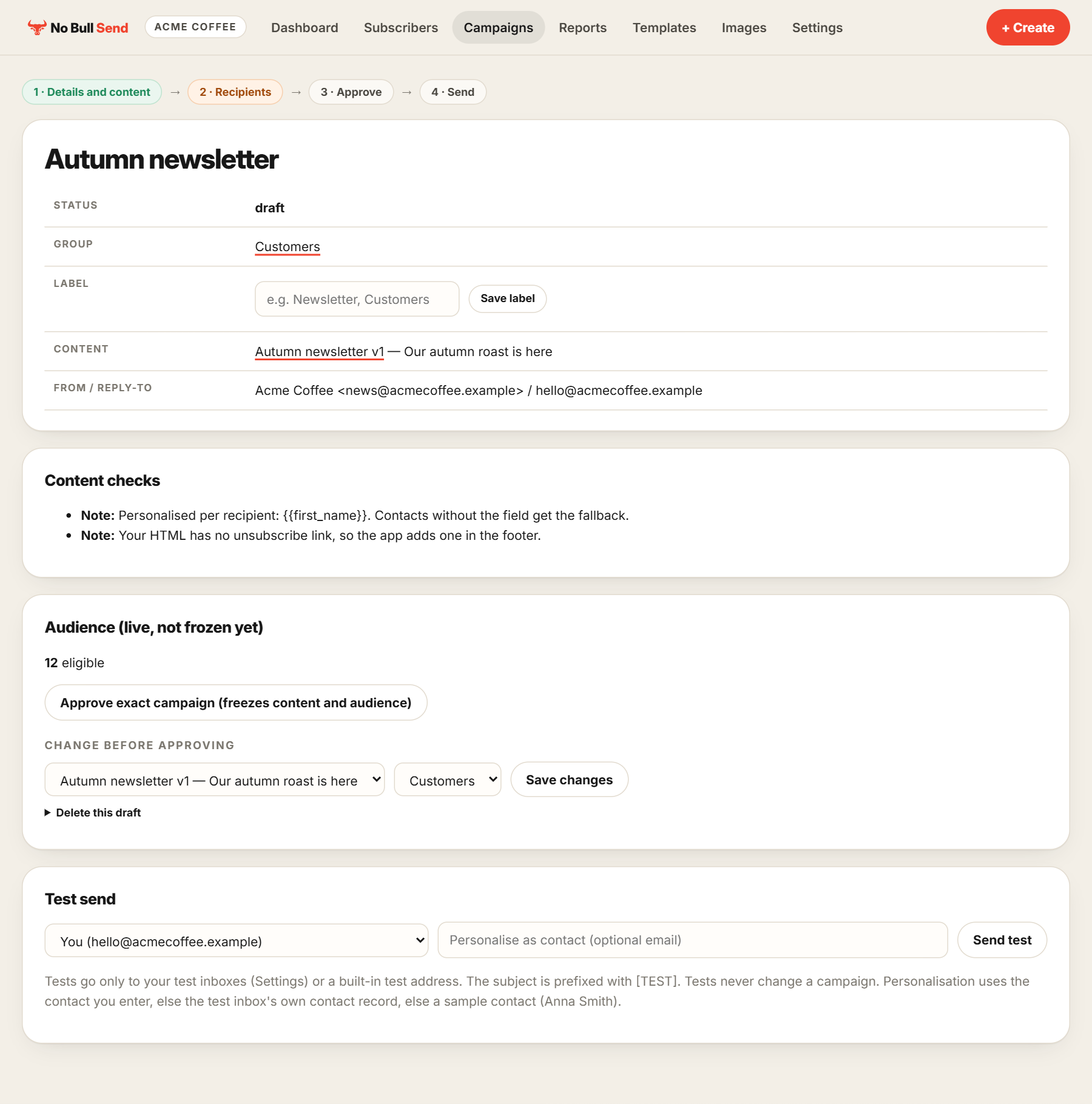
The draft shows exactly who will receive it: everyone in the group, minus anyone blocked (bounced, complained or unsubscribed) and anyone who already received this email. You can still change the template or group here, and send another test.
3. Approve
Choose Approve exact campaign. This freezes the content and the audience, so what you checked is exactly what goes out.
4. Send
Type the recipient count to confirm, and send. Your results then appear in Reports.
Your domain has to say Complete before a campaign can be approved, scheduled or sent.