
Import your list
Export a CSV from your current email tool or spreadsheet, upload it, check the preview and confirm. Nothing changes until you confirm.
1. Upload your file
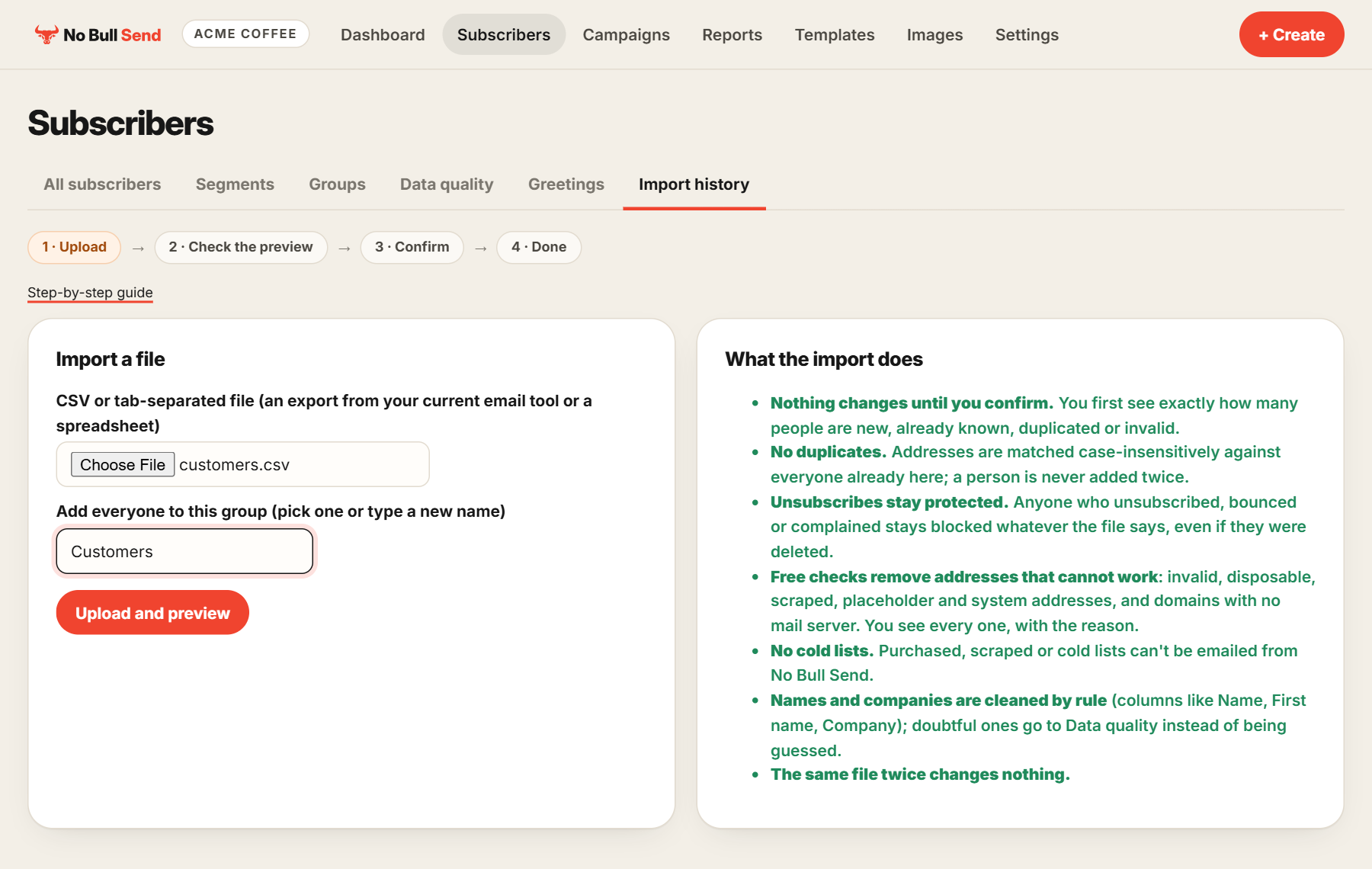
Go to Subscribers and choose Import subscribers. Pick your file, which can be a CSV or a tab-separated export. Then pick a group, or type a new name such as "Customers", and choose Upload and preview.
2. Check the preview
You see exactly what would happen: how many people are new, how many we already know, and how many rows are duplicates or invalid. Nothing has changed yet.
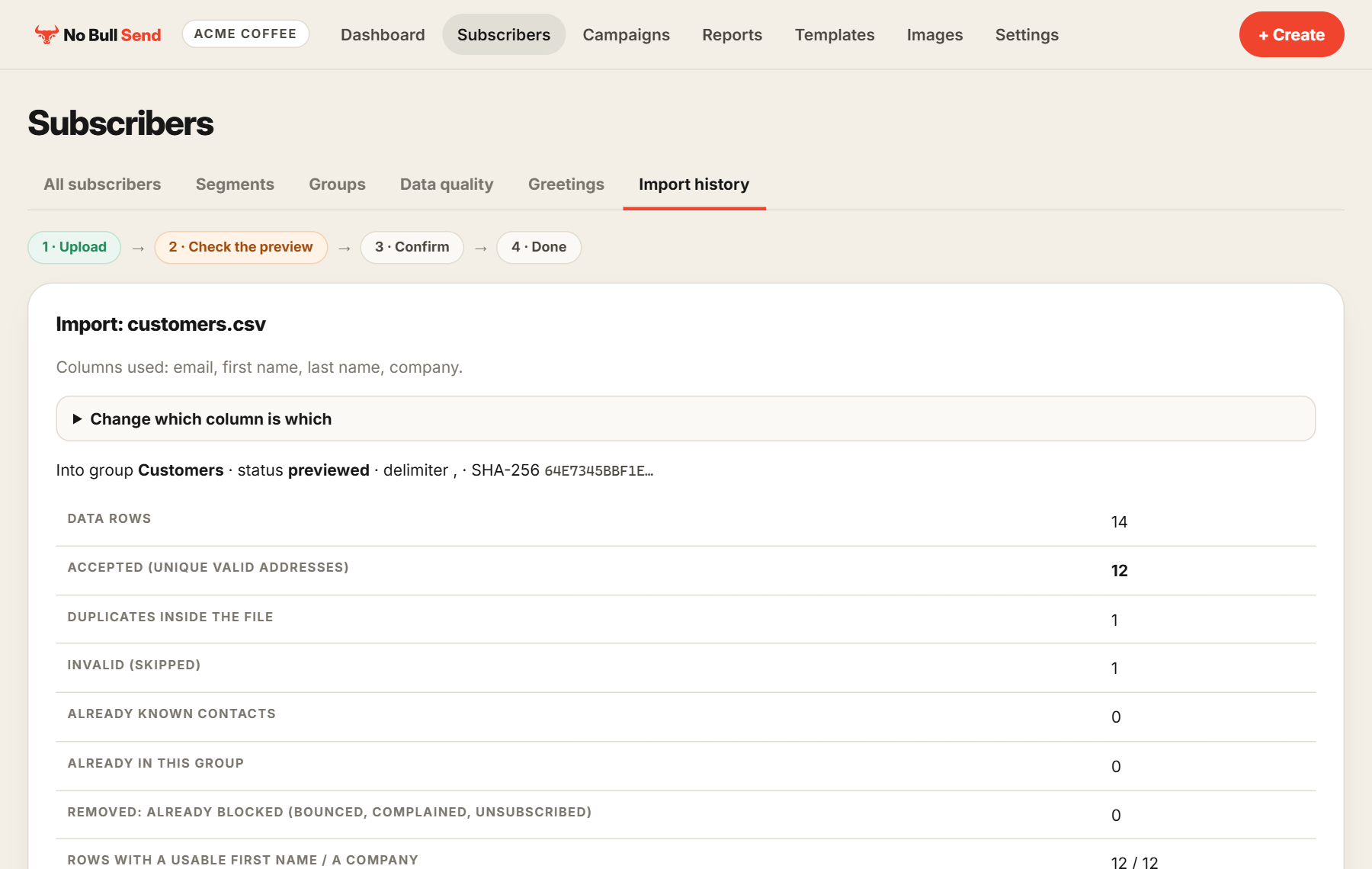
Columns are matched by their headings, such as Email, First name, Last name and Company. If one is wrong, open Change which column is which.
3. Tell us about the list
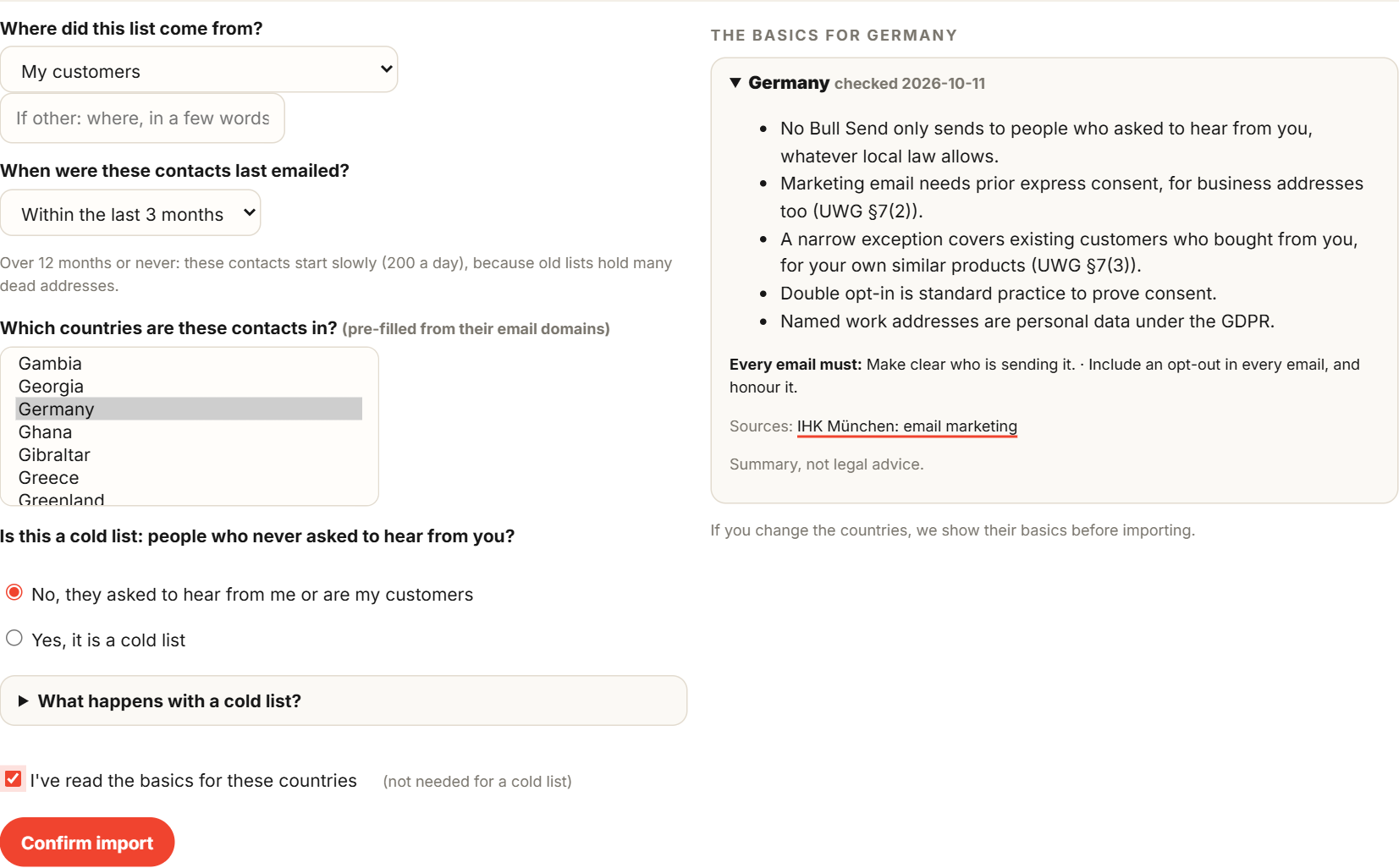
Answer a few short questions: where the list came from, when these contacts were last emailed, which countries they're in, and whether it's a cold list. Choose Confirm import. If you've picked countries we haven't shown you yet, we show the basics for those countries first. Read them, tick the box and confirm.
4. Done
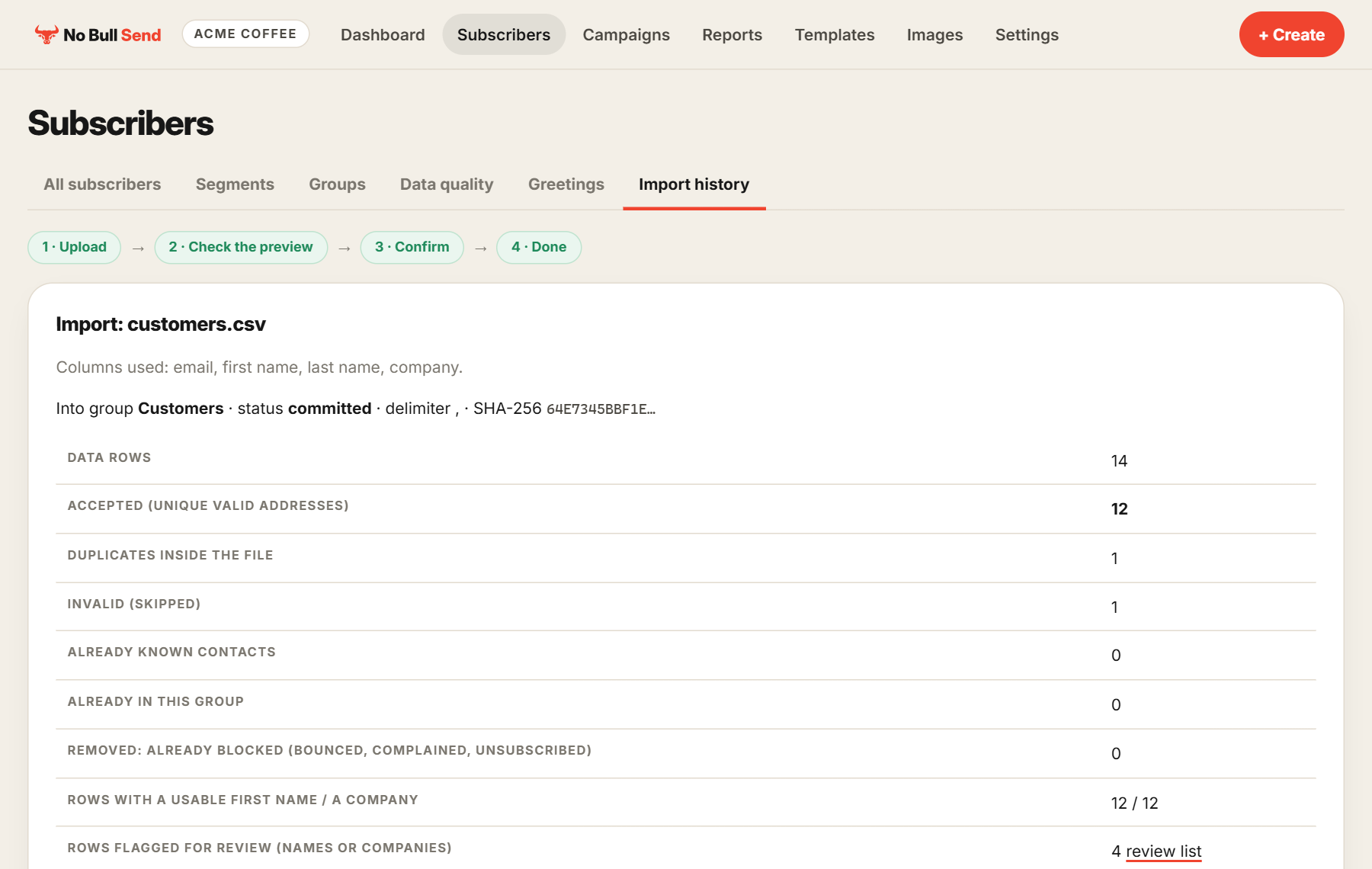
Your contacts are in the group and ready for a campaign.
Good to know
- No duplicates. Addresses are matched against everyone already here, so a person is never added twice.
- Unsubscribes stay protected. Anyone who unsubscribed, bounced or complained stays blocked, whatever the file says.
- Free checks. Addresses that can't receive email are removed, and you can see every one with the reason.
- Names and companies are cleaned by rule. Doubtful ones go to Data quality for you to review instead of being guessed.
- Old lists start slowly. Contacts last emailed over 12 months ago, or never, start at 200 a day, because old lists hold many dead addresses.
- No cold lists. Purchased, scraped or cold lists can't be emailed from No Bull Send.
- The same file twice changes nothing, so you can't import it by accident and cause a mess.